All series

  • Redefining workflow productivity
  • Turntable image 1Turntable image 2Turntable image 3Turntable image 4Turntable image 5Turntable image 6Turntable image 7Turntable image 8Turntable image 9Turntable image 10Turntable image 11Turntable image 12Turntable image 13Turntable image 14Turntable image 15Turntable image 16Turntable image 17Turntable image 18Turntable image 19Turntable image 20Turntable image 21Turntable image 22Turntable image 23Turntable image 24Turntable image 25Turntable image 26Turntable image 27Turntable image 28Turntable image 29Turntable image 30Turntable image 31Turntable image 32Turntable image 33Turntable image 34Turntable image 35Turntable image 36Turntable image 37Turntable image 38Turntable image 39Turntable image 40Turntable image 41Turntable image 42Turntable image 43Turntable image 44Turntable image 45Turntable image 46Turntable image 47Turntable image 48Turntable image 49Turntable image 50Turntable image 51Turntable image 52Turntable image 53Turntable image 54Turntable image 55Turntable image 56Turntable image 57Turntable image 58Turntable image 59Turntable image 60Turntable image 61Turntable image 62Turntable image 63Turntable image 64Turntable image 65Turntable image 66Turntable image 67Turntable image 68Turntable image 69Turntable image 70Turntable image 71Turntable image 72
  • Redefining workflow productivity
  • Redefining workflow productivity
  • Redefining workflow productivity
  • Redefining workflow productivity
  • Redefining workflow productivity
  • Turntable image 1Turntable image 2Turntable image 3Turntable image 4Turntable image 5Turntable image 6Turntable image 7Turntable image 8Turntable image 9Turntable image 10Turntable image 11Turntable image 12Turntable image 13Turntable image 14Turntable image 15Turntable image 16Turntable image 17Turntable image 18Turntable image 19Turntable image 20Turntable image 21Turntable image 22Turntable image 23Turntable image 24Turntable image 25Turntable image 26Turntable image 27Turntable image 28Turntable image 29Turntable image 30Turntable image 31Turntable image 32Turntable image 33Turntable image 34Turntable image 35Turntable image 36Turntable image 37Turntable image 38Turntable image 39Turntable image 40Turntable image 41Turntable image 42Turntable image 43Turntable image 44Turntable image 45Turntable image 46Turntable image 47Turntable image 48Turntable image 49Turntable image 50Turntable image 51Turntable image 52Turntable image 53Turntable image 54Turntable image 55Turntable image 56Turntable image 57Turntable image 58Turntable image 59Turntable image 60Turntable image 61Turntable image 62Turntable image 63Turntable image 64Turntable image 65Turntable image 66Turntable image 67Turntable image 68Turntable image 69Turntable image 70Turntable image 71Turntable image 72
  • Redefining workflow productivity
  • Redefining workflow productivity
  • Redefining workflow productivity
  • Redefining workflow productivity

Curved Business monitor32:9 SuperWide Thunderbolt™ 4 monitor

49B2U6903CH/75

Redefining workflow productivity
This Philips Thunderbolt™ 4 monitor is designed with everything you need for a collaborative remote workspace. Its webcam fashions features such as auto-framing and a FocusSync Light for an unmatched video conferencing experience.
See all benefits

with pop-up webcam

Redefining workflow productivity

  • 6000 series

  • 49 (48.8"/ 124 cm diag.)

  • 5120 x 1440 (Dual QHD)

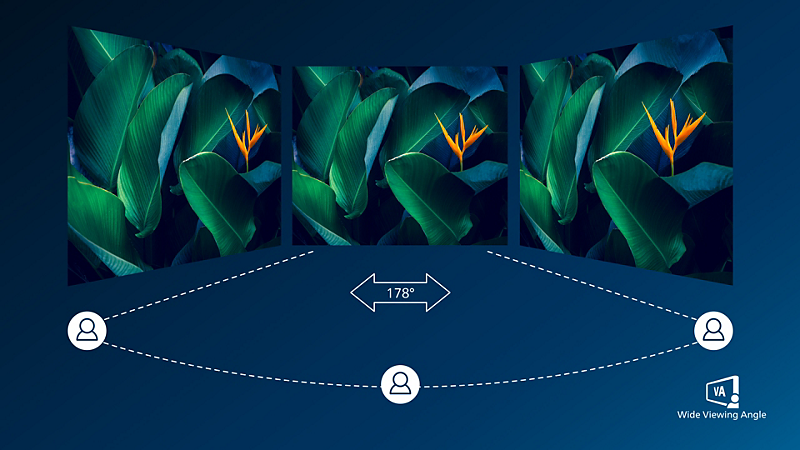
VA display delivers awesome images with wide viewing angles

VA display delivers awesome images with wide viewing angles

Philips VA LED display uses an advanced multi-domain vertical alignment technology which gives you super-high static contrast ratios for extra vivid and bright images. While standard office applications are handled with ease, it is especially suitable for photos, web-browsing, movies, gaming, and demanding graphical applications. It's optimized pixel management technology gives you 178/178 degree extra wide viewing angle, resulting in crisp images.

DisplayHDR 400 for more lifelike and outstanding visuals

DisplayHDR 400 for more lifelike and outstanding visuals

VESA-certified DisplayHDR 400 delivers a significant step-up from normal SDR displays. Unlike, other 'HDR compatible' screens, true DisplayHDR 400 produces astonishing brightness, contrast and colors. With global dimming and minimum 400 nits brightness, images come to life with notable highlights while featuring deeper, more nuanced blacks. It renders a fuller palette of rich new colors, delivering a visual experience that engages your senses.

Curved display design for more immersive experience

Curved display design for more immersive experience

Desktop monitors offer a personal user experience, which suits a curve design very well. The curved screen provides a pleasant yet subtle immersion effect, which focuses on you at the center of your desk.

Technical Specifications

Awards

  • Award image PBTAWARD68

Reviews

Sign up to the Philips newsletter for exclusive offers

  • Member-exclusive offers.
  • Early access to sales.
  • News on product launches and tips for healthy lifestyles.

I would like to receive promotional communications – based on my preferences and behaviour – about Philips products, services, events and promotions. I can easily unsubscribe at any time!

  • Member-exclusive offers.
  • Early access to sales.
  • News on product launches and tips for healthy lifestyles.
Disclaimers
  1. Radius of the arc of the display curvature in mm

  2. Response time value equal to SmartResponse

  3. NTSC Area based on CIE1976

  4. sRGB Area based on CIE1931

  5. For Video transmission via USB-C, your Notebook/device must support USB-C DP Alt mode

  6. Activities such as screen sharing, on-line streaming video and audio over the Internet can impact your network performance. Your hardware, network bandwidth and its performance will determine overall audio and video quality.

  7. For USB-C power and charging function, your Notebook/device must support USB-C standard Power Delivery specifications. Please check with your Notebook user manual or manufacturer for more details.

  8. If your Ethernet connection seems slow, please enter OSD menu and select USB 3.0 or higher version which can support the LAN speed to 1G.

  9. EPEAT rating is valid only where Philips registers the product. Please visit https://www.epeat.net/ for registration status in your country.

  10. The display colors reduce to 8 bits, the max resolution of HDMI can be 5120x1440@75Hz, and DisplayPort can be 5120x1440@120Hz

  11. It's for laptop with DSC, if not, the max resolution of Thunderbolt 4 input and output can be 5120x1440@60Hz, 8 bits display color and with USB 3.2 Gen1.

  12. Please note that the PowerSensor 2 is only functional with Windows 11 installed. When PowerSensor 2 is activated, WAL means Walk Away Lock and WOA means Wake On.

  13. The monitor may look different from feature images.

  14. The products and accessories listed on this leaflet may differ by country and region.

  15. RJ45 supports PXE (Preboot eXecution Environment), MAC Address Pass-Through (MAPT) , and Wake on LAN (WOL) on compatible systems. Support may vary depending on system configuration.